How to swap USDC.E to USDC
Step 1: Click on “Join”
Go to fantium.com and click on "Login." Enter your credentials to log in.

Step 1.1: Click on “Join”
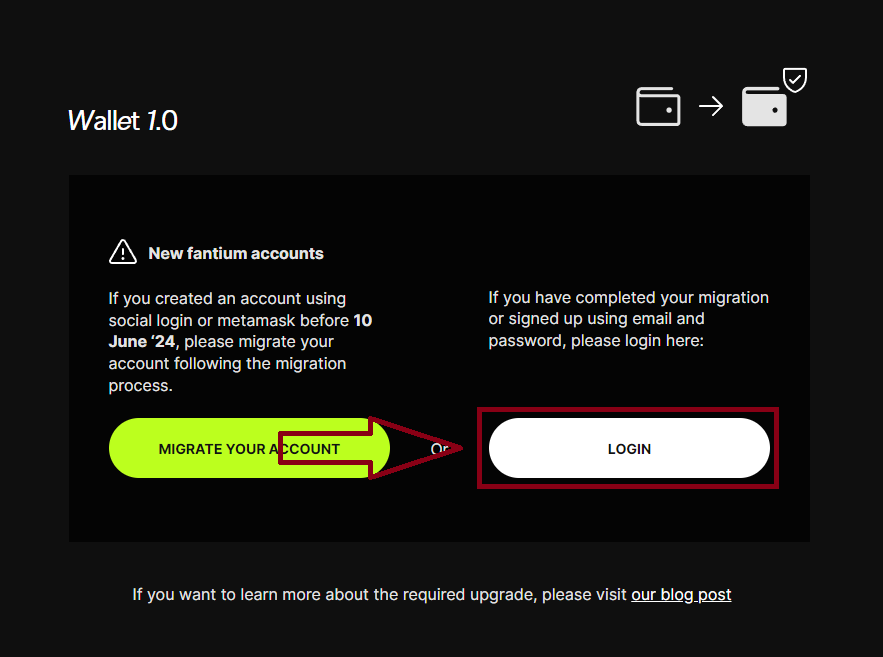
Step 1.2: Click on “Login”
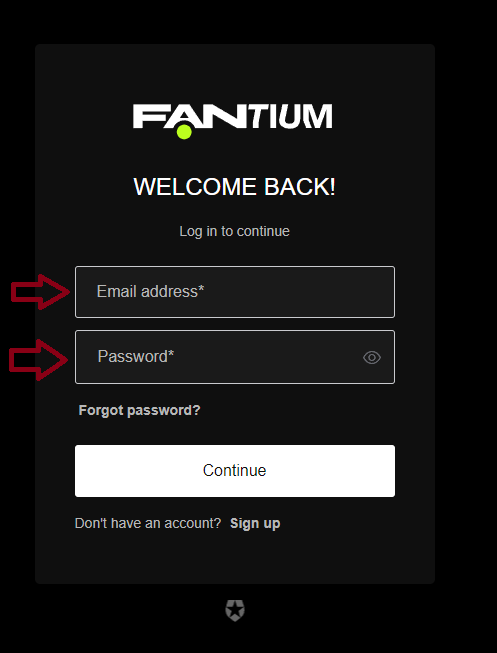
Step 1.3: Login with your Credentials
Step 2: Navigate to the wallet page
Click on the menu in the upper right corner and select "Wallet."

Step 2.1: Navigate to the wallet page.
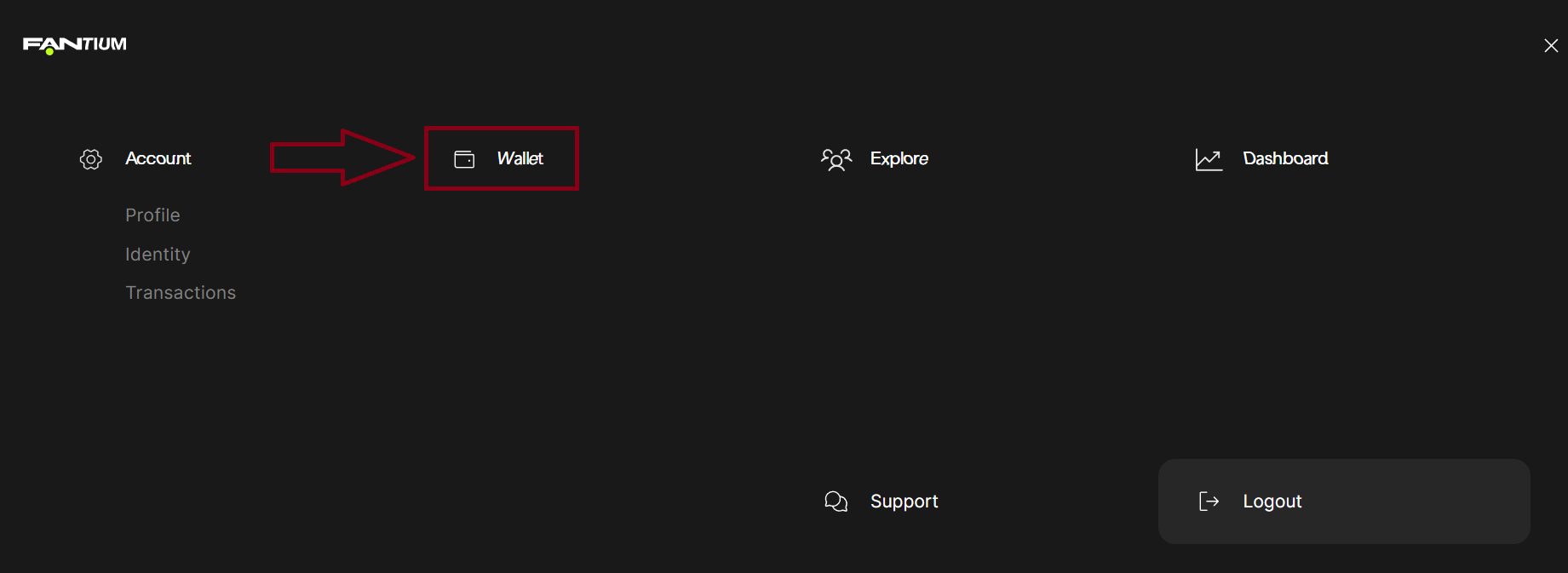
Step 3: Copy Address
Locate your USDC.e balance click on the 3 dots and click "Copy Address" to copy your wallet address for the next steps.
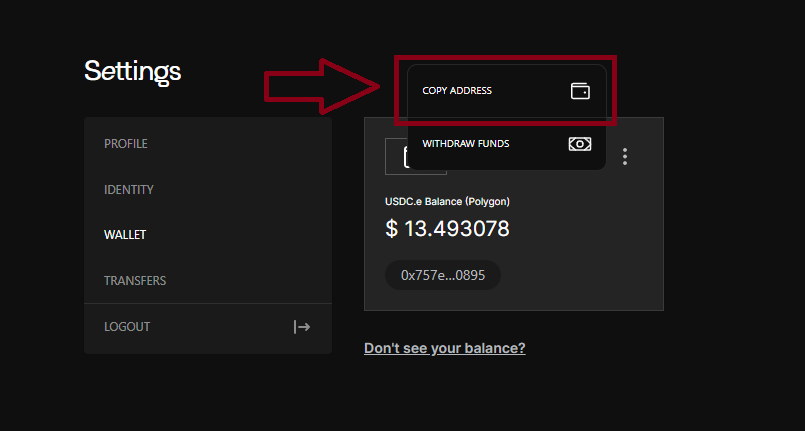
Step 3: Click “Copy Adress”
Step 4: Go to changenow.io.
In the "You send" field, choose "MATICUSDCE Polygon," and in the "You get" field, select "USDC Polygon." Then, click "Exchange."
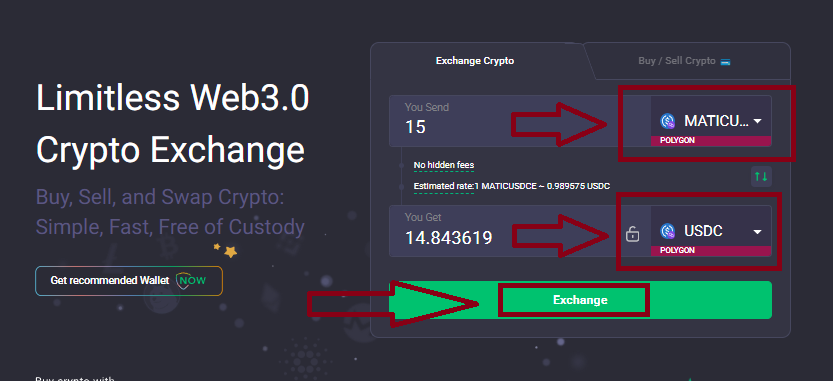
Step 4: Choose MATICUSDCE Polygon and USDC Polygon and click “Exchange”
Step 5: Paste your wallet address
Paste your wallet address in the "Enter the USDC payout address" field and click "Confirm."
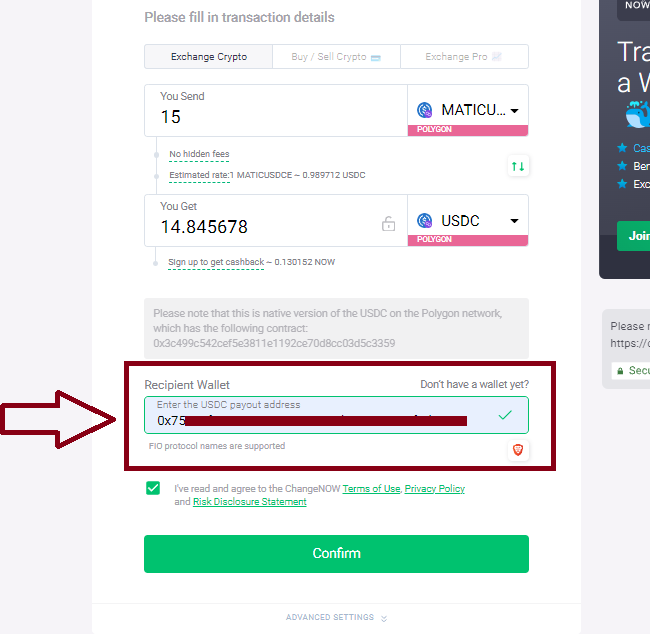
Step 6: Copy deposit address
Copy the address provided by ChangeNow. Click on the small copy icon to copy the address.
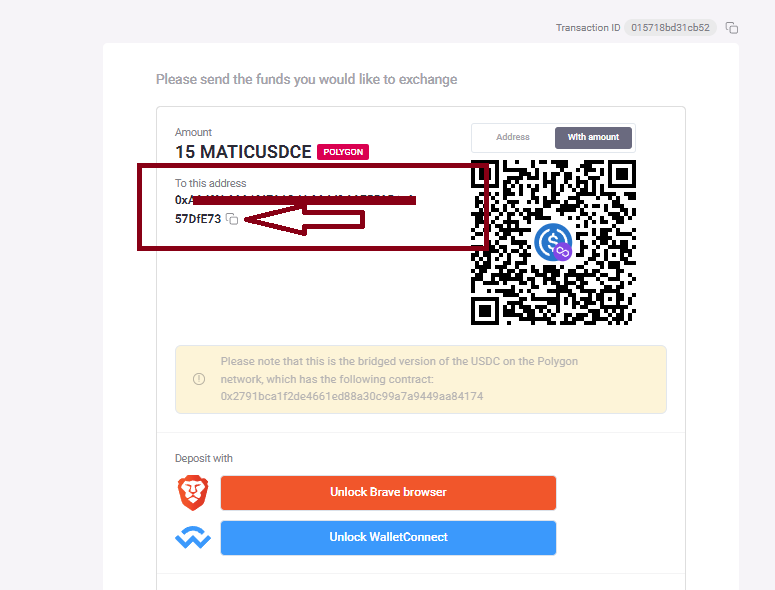
Step 6: Click on the small copy icon to copy the address.
Step 7: Withdraw Funds
Return to Fantium, click on "Withdraw Funds," and paste the address from ChangeNow into the "To:" field. Enter the amount, select USDC.e, and click "Send Funds."
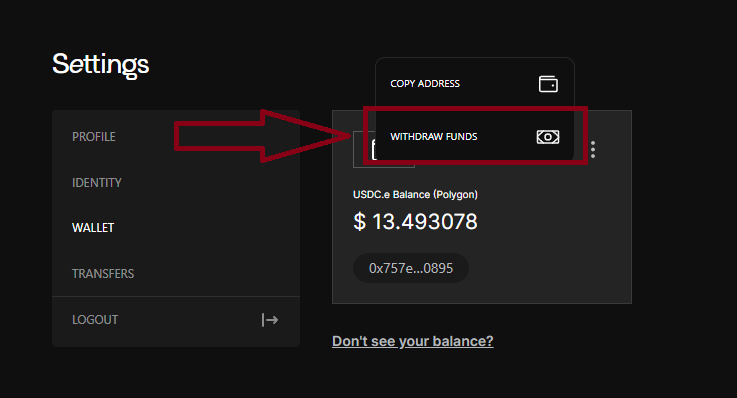
Step 7.1 : Click on “Withdraw Funds”
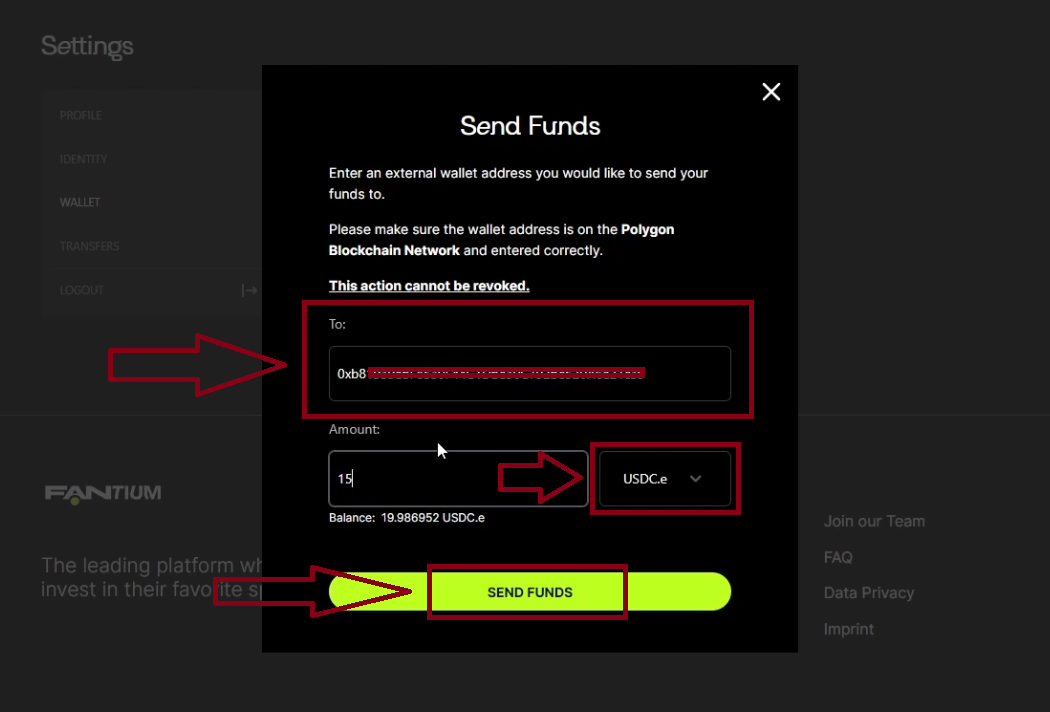
Step 7.2: Paste the adress you copied from changenow into the “To:” field. Enter the amount and choose USDC.e. Then click on “SEND FUNDS”
Step 8: Confirmation that funds have been sent
Wait for the notification confirming the funds have been sent.
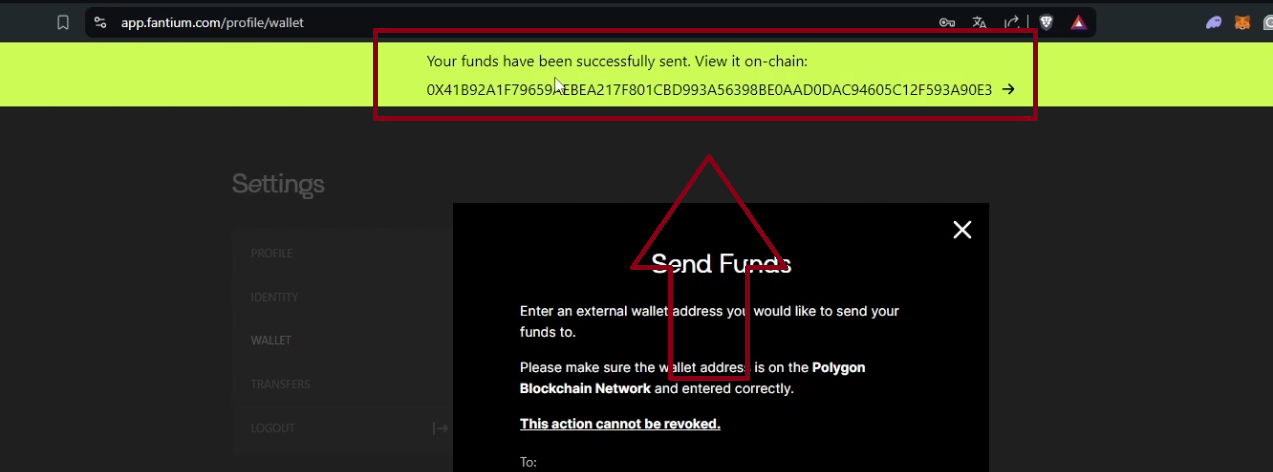
Step 9: Confirm on changenow.io
Go back to changenow.io and wait for the final confirmation, which can take up to 30 minutes.
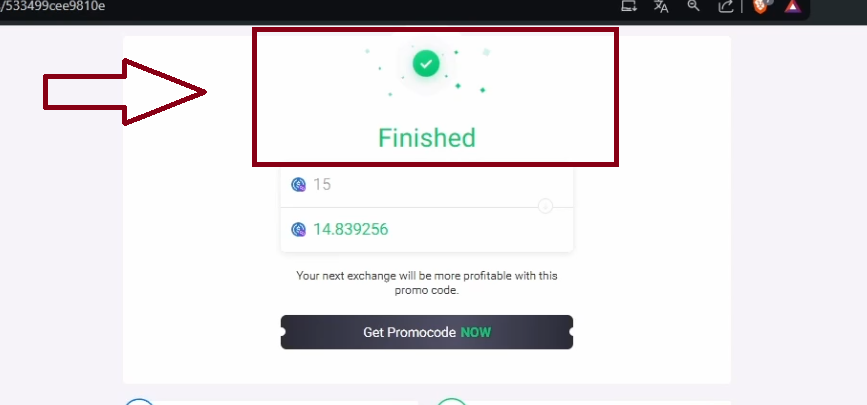
Step 10: Success!
Finished! You have successfully swapped USDC.e for Native USDC on Polygon.
Check your account to see the updated balance.